Why your kid needs a smartwatch

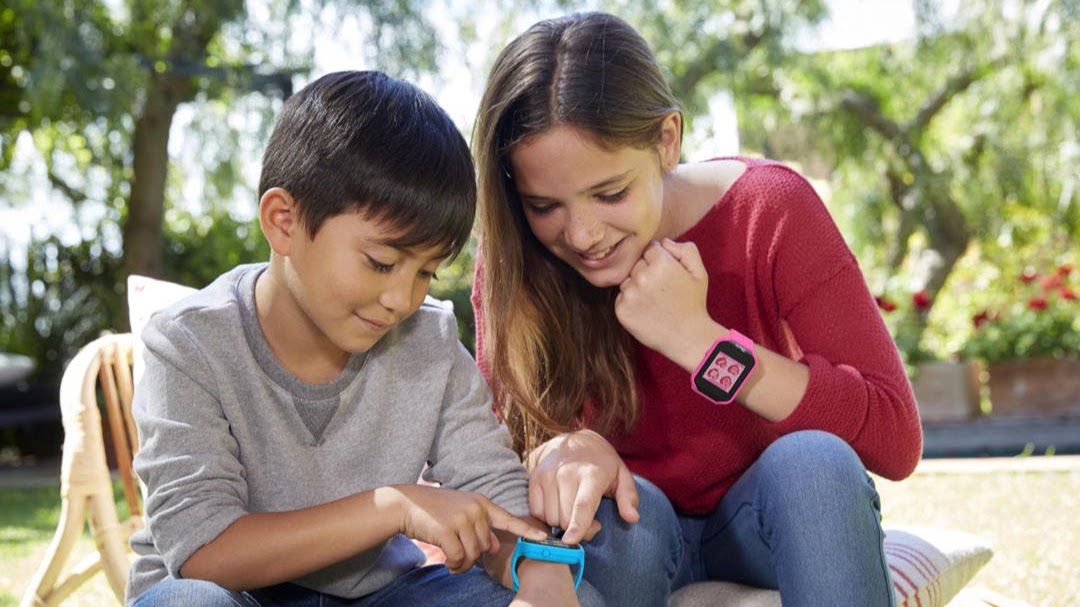
Kids with smartwatches

Inspire your kid to do to their daily chores – it’s a win-win

With the Garmin Vivofit Jr 2, the parents can award points to their children for doing daily tasks and chores. The idea is these can then be traded for treats, so your children have an incentive to brush their teeth or play nicely with their siblings. The strap is soft and stretchy, making it comfortable to wear both day and night. Parents don’t even need to remind their child to charge their watch, because the battery lasts for up to a year.

The Fitbit Ace is another great choice especially in the sense that it is a great way to encourage and motivate kids to get moving. This smartwatch makes daily physical activity fun by tracking daily steps and providing rewards as well as badges for hitting certain goals.

The best benefit for a parent in my opinion for their child(ren) to have a smartwatch is the GPS tracking capability that the smartwatch supports. For as little as $5 to $10 a month, a parent can attach a working cellphone number to the smartwatch so as to be able to call their child with as well as the phone number makes it so that the GPS tracking capability is activated. if your child is out and about a lot with friends especially playing in the neighborhood, it is worth the extra $5 to $10 a month in expense for a parent to provide them with the peace of mind at the touch of a button to keep tracking of their kid and know that they are safe.
What to consider when purchasing a new smartphone

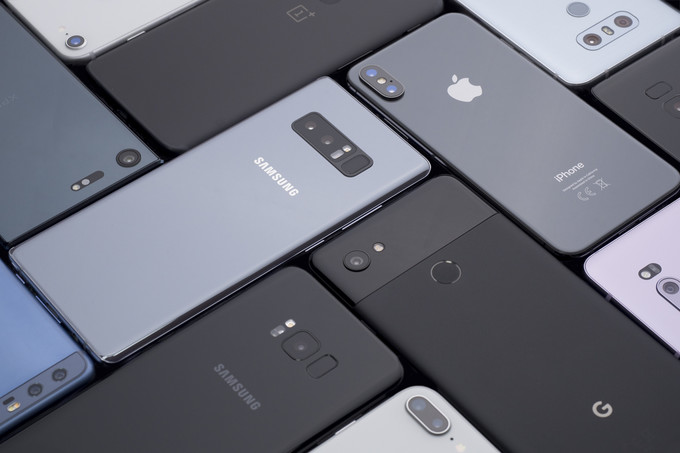
smartphone collage
Top Smartphones

Performance

Nobody wants a phone that can’t perform for the tasks that the user throws at it. Especially if you are a busy person who needs to field a lot of phone calls as well as emails from their phone, it is important your phone is able to keep up with what you rely on it for.

Display

This is important because most cellphone users are smartphone users, and therefore are doing a lot of reading on their smartphone. It needs to be able to live up to its price point.

Battery Life

One of the most important things to consider is battery life. If a phone is not able to handle at least moderate usage to get you through your day, then it is probably not the phone for you.
I recommend checking out reviews on YouTube of the phone you are considering purchasing to see what those reviewers have to say about that phone. It can give a great frame of reference to if the phone is for you.

Camera

A popular saying goes, “the best camera is the one you have with you.” The camera that someone typically has with them presently is their smartphone. To have a decent camera with you considering you have your phone with you all the time is a win-win.

I recommend checking out reviews on YouTube of the phone you are considering purchasing to see what those reviewers have to say about that phone. It can give a great frame of reference to if the phone is for you.

The Right Sound for You

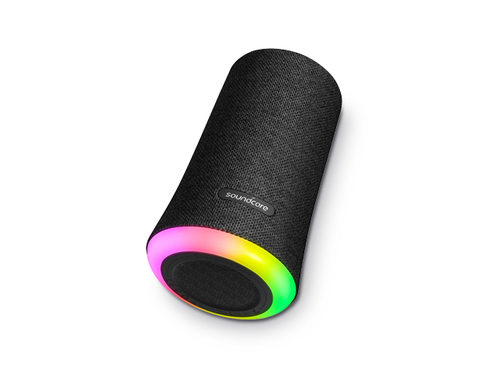
Soundcore Flare

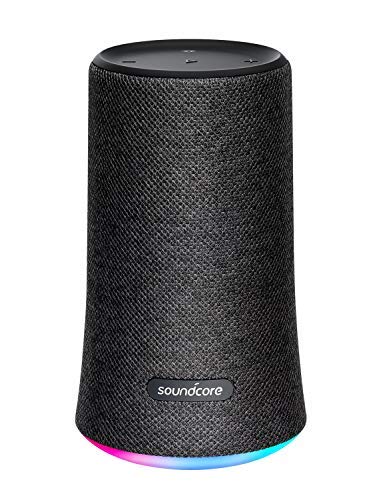
If you are in the market for a Bluetooth speaker that is the right bang for your buck, especially if you are on a budget and want something that is portable, the Soundcore Flare is the one for you.

Soundcore Flare Bluetooth Speaker
Soundcore Flare

Pros:

  • 12-hour battery life on a single charge
  • Can be interacted with through its smartphone app
  • IP67 water resistance rating allowing it to effortlessly withstand dust, spills, rain, and even complete submersion in water
  • 2 Flare speakers can be connected simultaneously to one device for stereo listening
  • Supports bass boost
  • Has lighting that is reactive to the music the speaker is playing as well as the ability to set the mood by having a specific color display always

Cons:

  • Charges via Micro USB which is becoming a thing of the past – most everything is transitioning to USB Type-C now-a-days.
  • The speaker is small, so it should be able to fill a small room, but don’t expect to be blown away by its sound out in an open area such as the beach.
Soundcore Flare Bluetooth Speaker
Soundcore Flare

I personally have owned this Bluetooth speaker for about a year now and can say that my speaker is still just as good as it was the day that I got it. It has been able to hold up from being submerged in Lake Powell as well as about a year of it daily playing music in my shower with no signs of water damage whatsoever.

I also really have enjoyed the option to boost the bass simply by the press of a button as well as the lighting effects. My favorite mode is for the lights to pulsate to the music the speaker is playing.

Conclusion:

Overall, although it is not the best Bluetooth speaker on the market; it most definitely is, in my opinion, the best Bluetooth speaker in its price range. I believe that you will be as happy with it as I have been.

Emailing 101: Attaching Files

The letters that form "email"

Introduction

I have met many people in my life who unfortunately do not understand how to do simple technological tasks. This can be because they are of an older generation and email was not a thing of their generation, or because they simply have not been properly educated on how to perform such a task with email. In my blog today I demonstrate the proper motions of attaching a file to an email using Gmail which is the platform of choice by the majority of email users.

Step 1

The first step to go about an attaching an email is to obviously start the email. The user will do this by clicking the “compose” button in the upper left-hand corner of the Gmail page. This will then take them to step 2 in the process.

Screenshot of how to begin composing an email

Step 2

The next step in the process will be to click the paperclip icon shown in the image below. This will provide the user access to the file browser to enable them to select the file(s) they desire to attach to the email.

Step 3

Step 3 then begins with the user being on the file browser window; from here, the user is able to select either 1 or multiple files a the same time to be attached to the email (note: 25mb in size is the maximum all or 1 file can amount to in order for the email to be allowed to be sent) if you look in the third column in image below, this will provide sizing information for each of the users files.

Screenshot of how to select the file attach it to the email

The Result

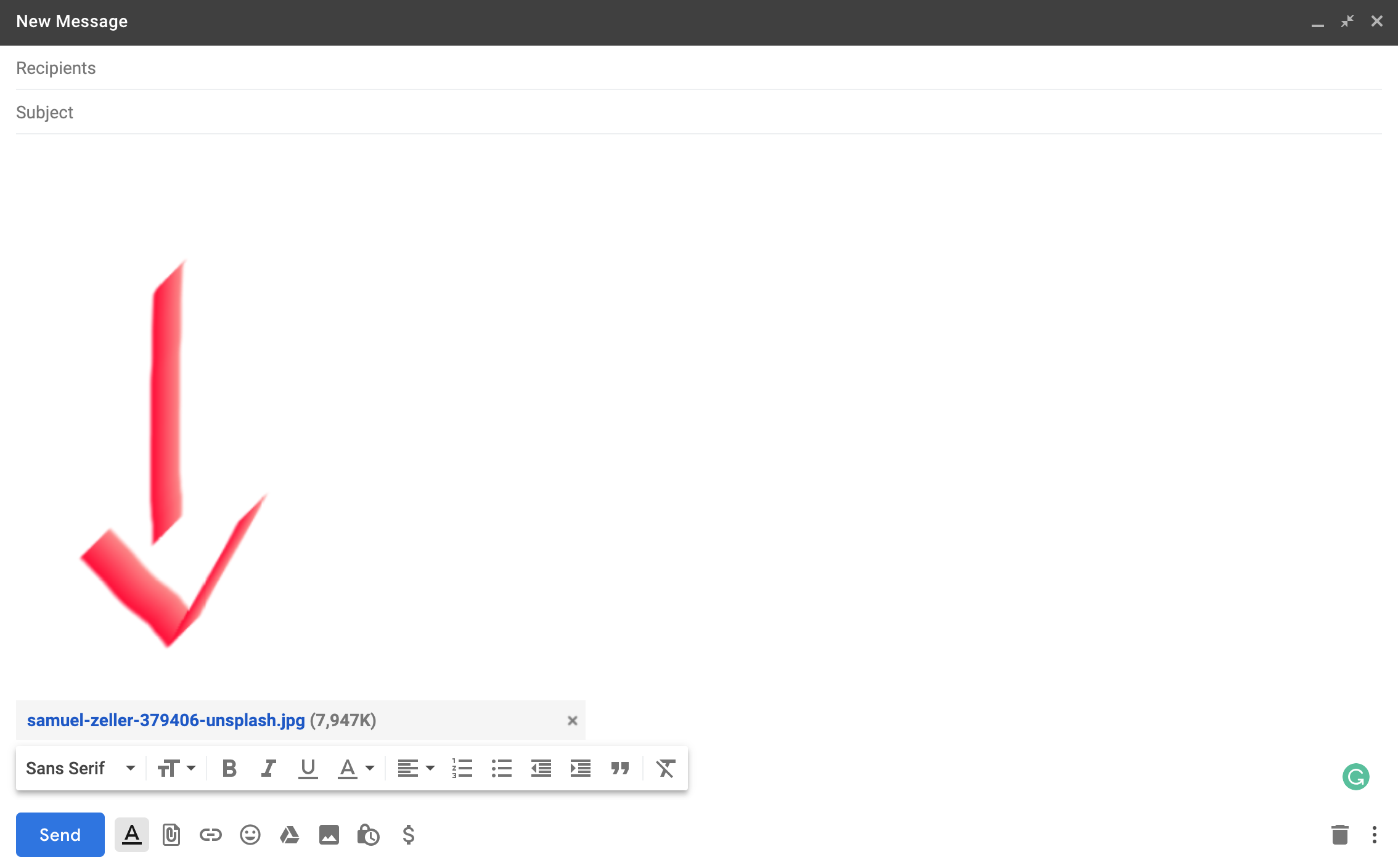
As you can see in the image below, I have now attached the image file that was highlighted in blue in the image above this text. The email is now ready to be sent off with the file attached and any text in the body and subject the user might include.

Screenshot of what the result looks like once you have attached the file to your email
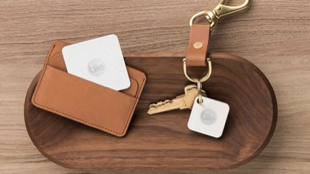
Keys and wallet on desk with tile trackers

There’s a Tile for that

THE PROBLEM

A problem that I have had recently is I just didn’t know how to physically and mentally keep track of my keys and my wallet. No matter what, I almost always seemed to be mindlessly setting them down somewhere when I got home from school or work and didn’t stop to consider that maybe that isn’t the best place for them, because of course, I’m not going to remember where they are when I need them again later. But alas, I didn’t give it another thought anyway.

Keys and wallet on desk with tile trackers
Keys and wallet with tile trackers

THE SOLUTION

With time I was able to get my hands on a new product we had begun to carry at work (AT&T) which is called “Tile” – a little fob (that runs on a battery and works with Bluetooth to connect to any smart device) that can be stowed away in the sleeve of a wallet or attached to a keyring, even stick one on that TV remote you can never seem to find; the possibilities are endless! There was finally my moment to end the countless hours of searching for my wallet and keys (and I had the opportunity to get a pack of 4 at a discount, a definite plus indeed) so I took that opportunity and ran with it and haven’t looked back since! It has been a wonder when I now lost track of my keys or wallet to simply be able to pull out my phone, launch the tile app, click the “find” button, and walah, the tile on my keys are in my wallet is now ringing, making it that much easier to find them. A Tile user also has the option to locate where the tile was last seen by the smart device through GPS, being able to guide you right back to your misplaced or forgotten possessions.

Apple TV remote with tile tracker attached to it

If you are a person like me, always misplacing or losing some type of valuable possession, go ahead and do yourself a favor, pick up a few tiles. You won’t regret it.

Pro tip: if a big holiday is on the approach, consider holding off until that time comes because Tiles always go on sale during those times.